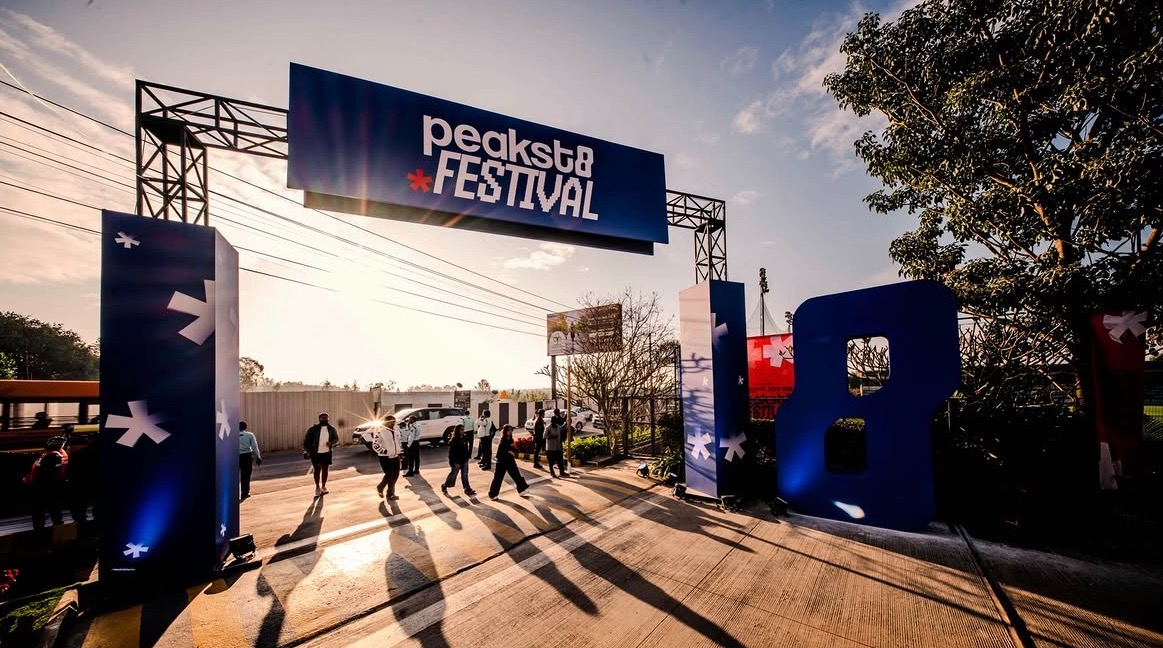
Designing the digital side of a festival for 3000+ athletes.
peakst8 Festival brought athletes together for competitions, workshops and talks. I designed the experience that surrounded the day itself: discovering the programme, registering, choosing experiences and slots, and the pass that got each athlete through the gate.
A festival is more than an event page.
With multiple activities, experiences and moments happening around the same day, the digital product had to do more than promote the festival. It had to help athletes understand what was happening, decide what they wanted to experience, register for it, and arrive ready to participate.
One athlete, one day, five moments to design for.
- 01DiscoverUnderstand what the festival offers.
- 02ChooseFind the activities and experiences that matter to me.
- 03RegisterCommit to the experiences I want to attend.
- 04AccessGet the information and pass needed to enter.
- 05ParticipateUse the digital experience alongside the physical event.
Before designing the experience, I needed to understand what athletes actually needed from it.
Groundwork came from 10+ in-depth interviews with fitness enthusiasts across different skill levels, run for peakst8 to map the psychological barriers to taking part.
Performance pressure
Users often felt “not fit enough” to join clubs. They preferred low-stakes participation over competitive training.
Why it mattered. A festival programme had to read as an invitation to take part, not a test of ability.
Discovery blindness
Users struggled to find local events outside niche WhatsApp groups or disorganised Instagram stories.
Why it mattered. The festival needed one clear place to discover what was on, rather than relying on scattered posts.
Validating the booking flow surfaced two pain points.
“Users felt overwhelmed while navigating a multi-step, activity-heavy booking flow.”
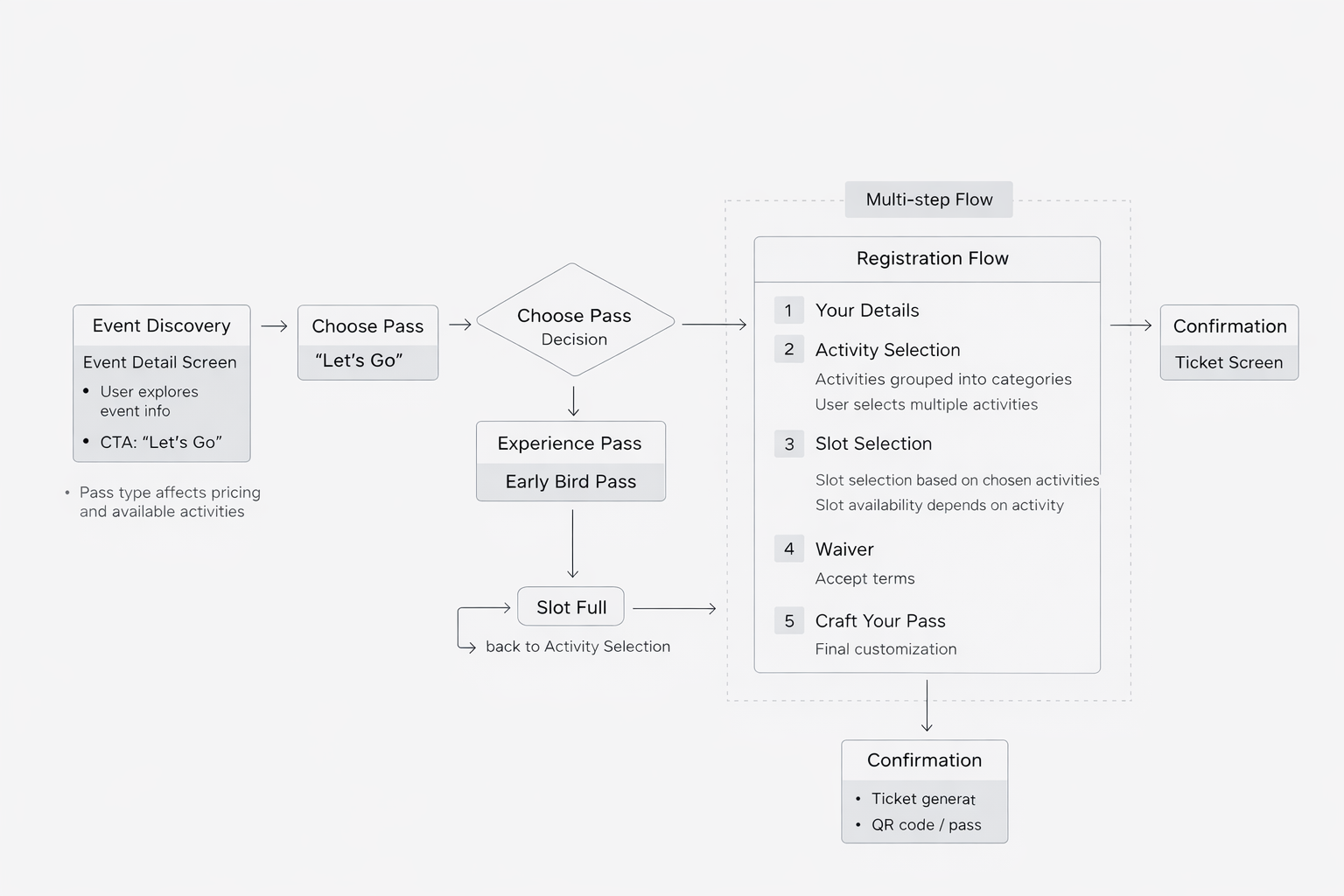
The responseA structured, progressive flow broke the journey into clear steps: Discovery → Pass Selection → Activity Selection → Slot Scheduling. Grouped activities, step indicators and contextual guidance simplified the decisions along the way.
“Users lacked clarity on what they were signing up for, leading to hesitation & drop-offs.”
The responseRicher discovery surfaces and contextual details, including activity descriptions, zones and real-time slot availability, so users could evaluate and commit with confidence.
We explored a progressive completion model that let users select slots later if they dropped off midway. Because of time constraints and stakeholder alignment, we proceeded with a single-session flow, so activity and slot selection were finished in one go.
These findings narrowed the work to one question: how should the festival work for an athlete, from discovery to participation?
Next — Defining the experience↓Designing around the athlete’s journey
The experience had to connect the moments before the festival with the moment an athlete arrived: discovering what was on, choosing a pass and experiences, registering, and walking in with a pass in hand.
- 01DiscoverMobile + webFestival discovery and the event detail screen: what’s on, date, location, pricing and highlights in one place.CTA · “Let’s Go”
- →02Choose a passMobile + webExperience Pass or Early Bird Pass.The pass type affects pricing and which activities are available.
- →03RegisterMobile + web1Your details2Activity selection
Grouped into categories, several at once3Slot selection
Availability depends on the activity4Waiver
Accept terms5Craft your pass
Final customisationSlot full → back to activity selection - →04ConfirmWhatsAppTicket generated with a QR pass.A shareable ID card arrives on WhatsApp, designed to double as the entry pass.
- →05ArriveOn the groundThe same pass gets the athlete through the gate on festival day.
Simplified from the registration flow in Section 03.
Make the festival easy to understand
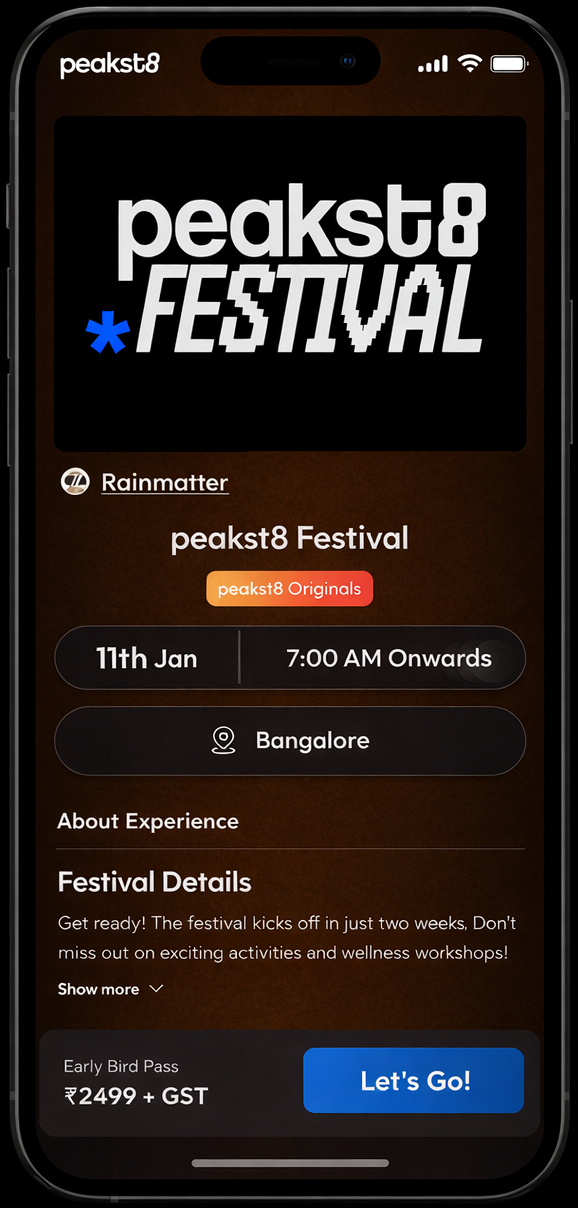
One overview with date, location, pricing and highlights, so athletes can judge the festival quickly and with confidence.
Make choices feel manageable
Grouped activities, step indicators and contextual guidance turn a long list of options into a sequence of small decisions.
Connect digital to the physical
The booking ends in a pass the athlete keeps, shares and shows at the gate, so the digital part carries through to the day.
With the journey mapped, the next job was a visual system that worked at every touchpoint.
Next — The design↓Helping athletes discover the festival
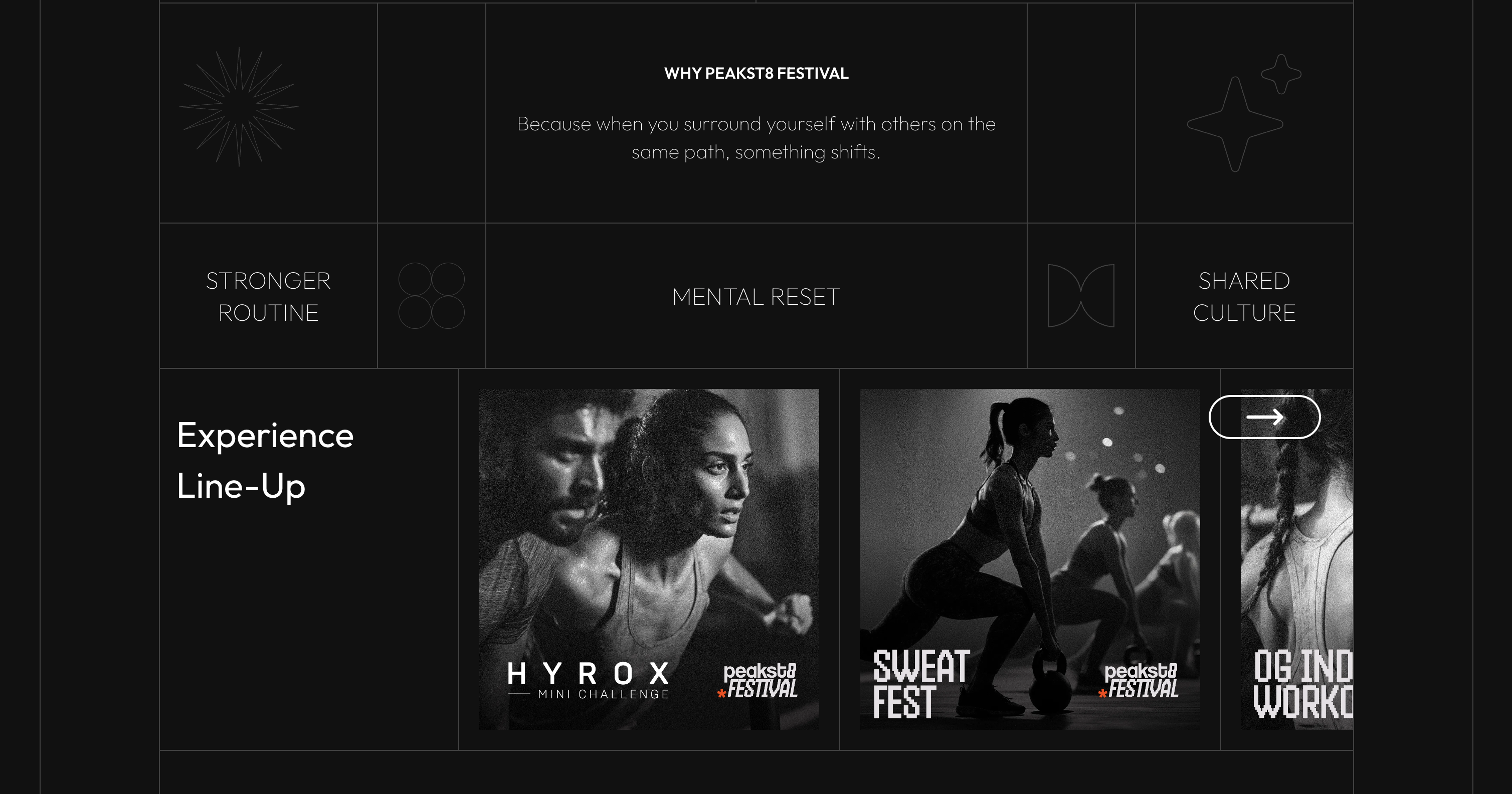
With multiple activities, experiences and sessions across the day, discovery had to make the breadth of the festival feel exciting without making it overwhelming.
Confidence before commitment.
Validation showed users hesitating because they weren’t clear on what they were signing up for. Discovery answers that first: the web line-up shows the range, and the overview gathers date, location, details and pricing in one place.
Once athletes knew what was happening, the next challenge was helping them choose what they actually wanted to experience.
Next — Plan & register↓Turning interest into participation
Discovery was only the beginning. Once an athlete found an activity they wanted to experience, the next step was making the path from selection to registration feel clear and straightforward.
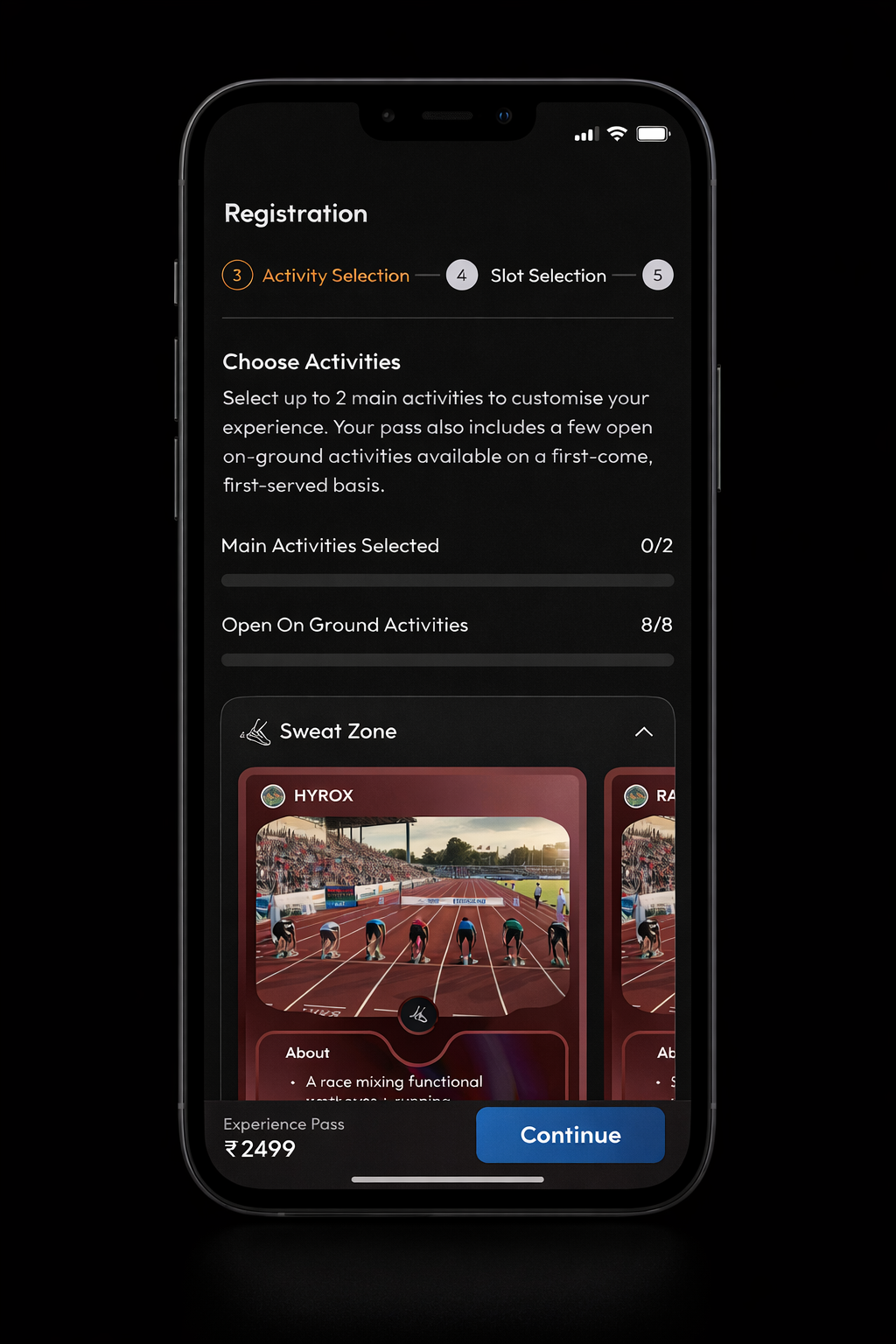
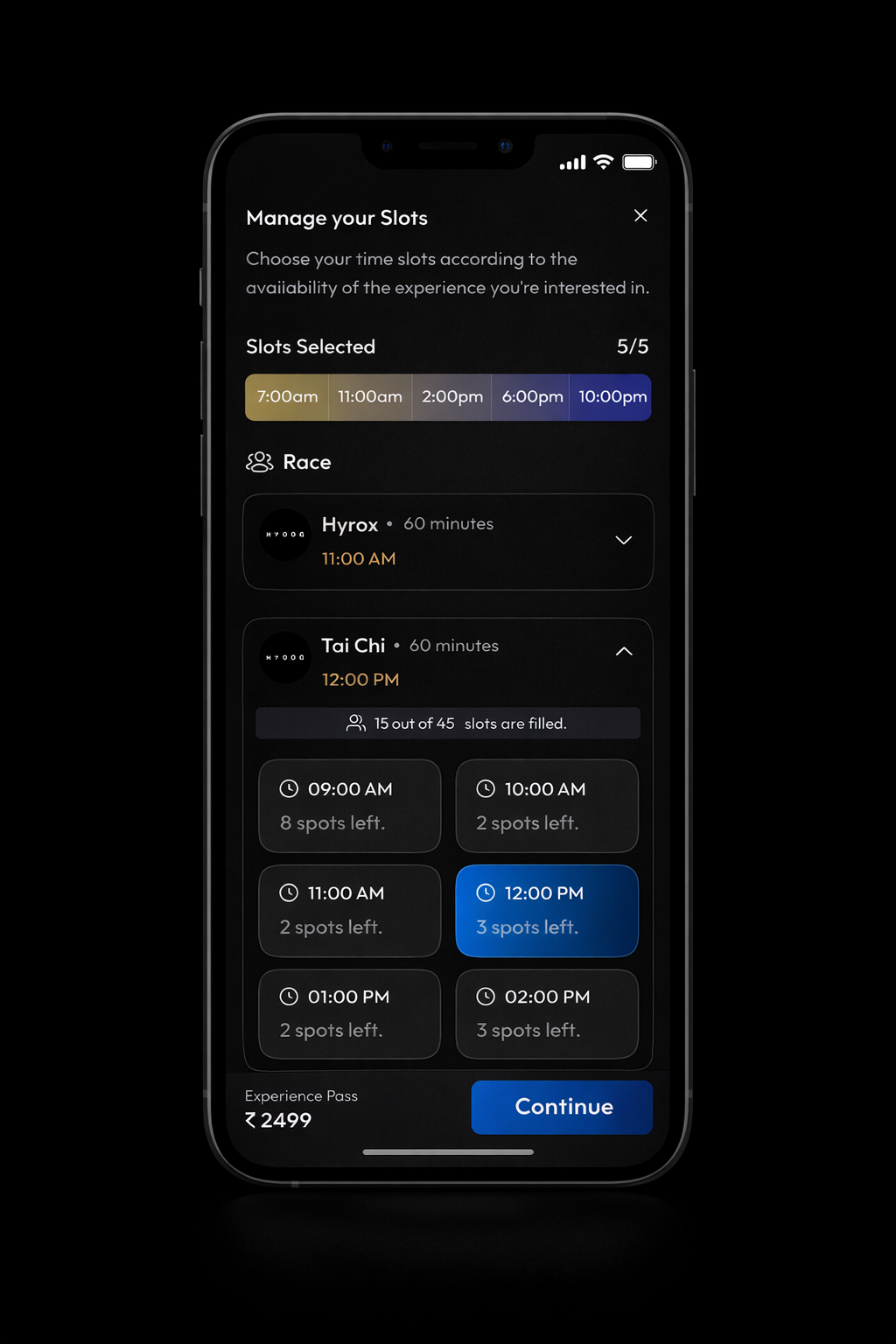
Activity and slot selection are finished in one session, as noted in Section 03. If a slot is full, the flow returns to activity selection. The standard ticketing step is left out, as in the original case study.
Make the rules of the choice visible
The step indicator, the “up to 2” limit and the selection counters tell athletes where they are and how much is left to decide.
Show availability before commitment
Real-time availability and remaining capacity sit next to each time option, at the moment of choosing.
Keep the pass and next step in view
A sticky footer keeps the pass type, its price and a single Continue action in view through activity and slot selection.
Registration turned intent into a ticket. The next challenge was making that ticket useful once the athlete arrived.
Next — Operations↓Running the festival on the ground
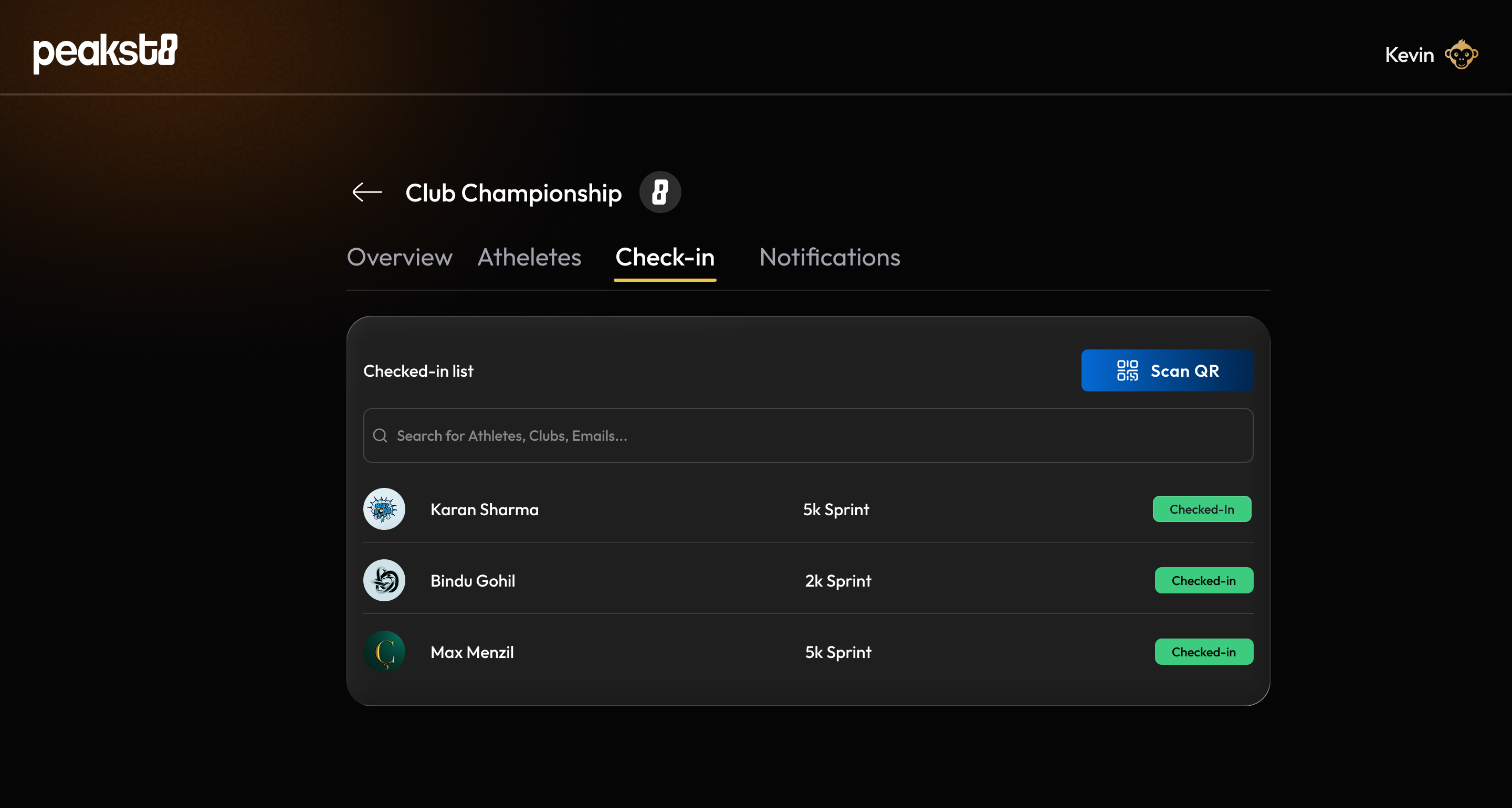
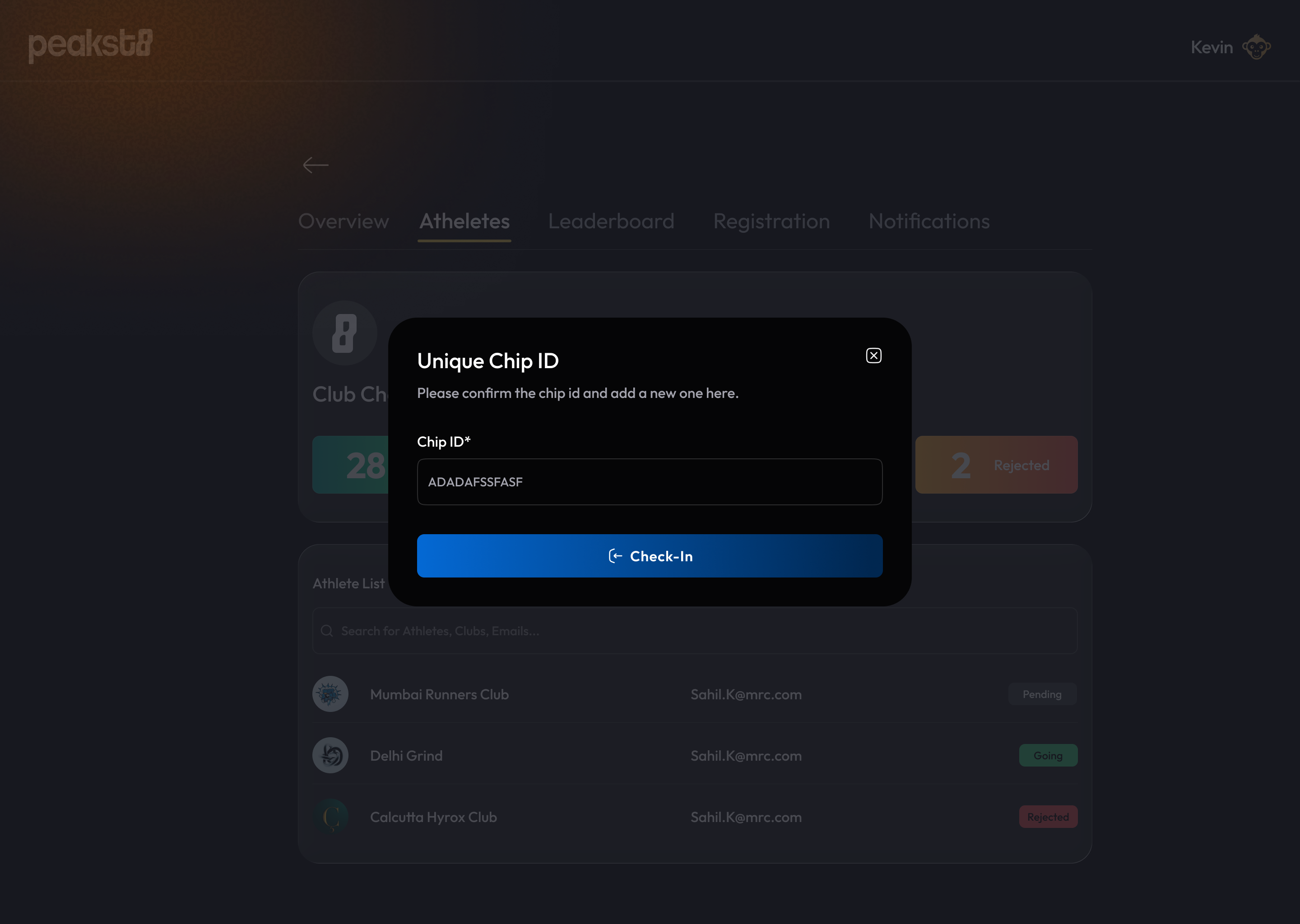
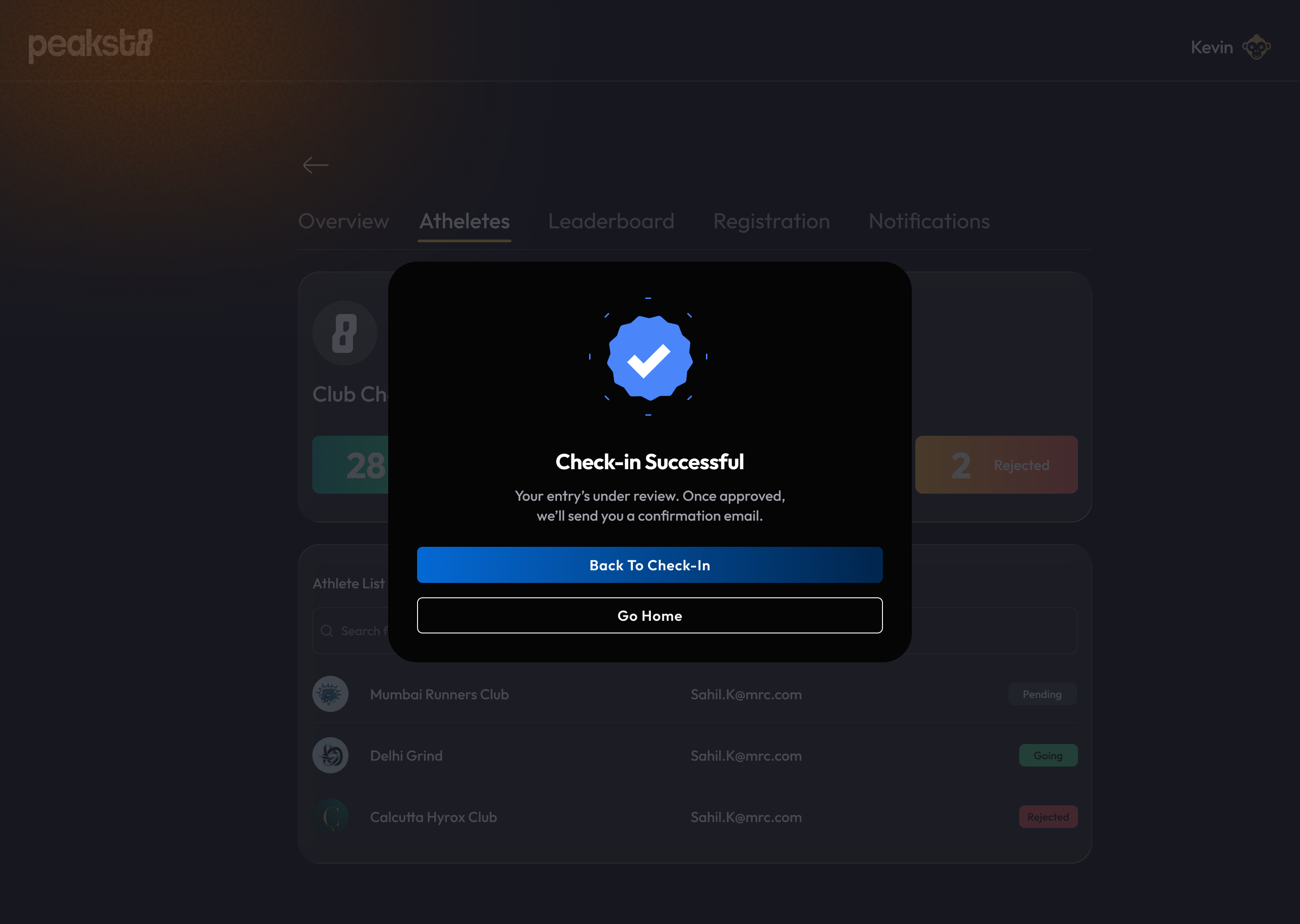
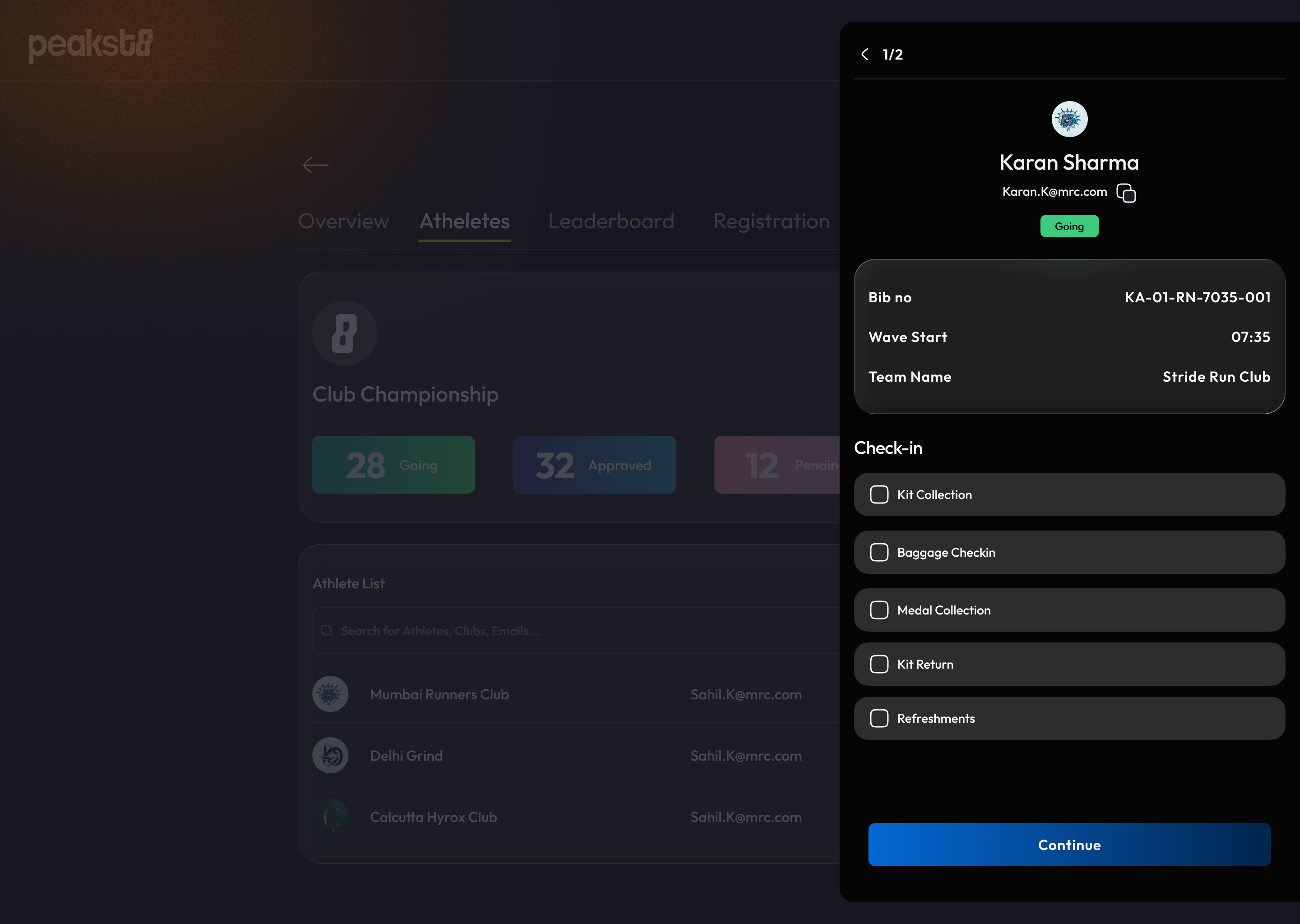
The product had a second side. While athletes discovered and registered on web and mobile, the festival team used an admin panel on the ground to check athletes in, verify their chip ID and track what each athlete had collected.
↕ The same athlete record connects both sides, from registration to check-in.
With athletes through the gate, the festival itself took over, and it travelled well beyond the venue.
Next — Social wins↓The festival, beyond the screen
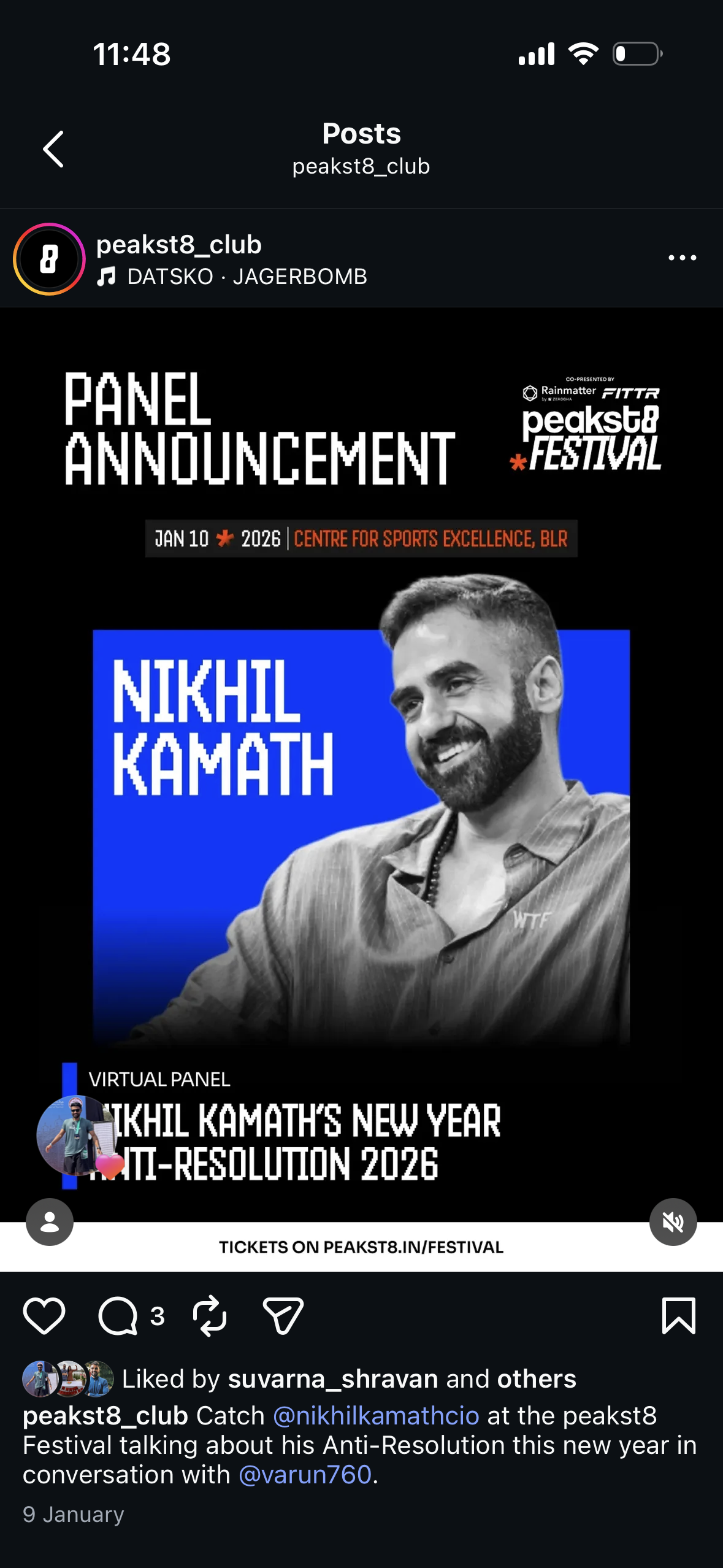
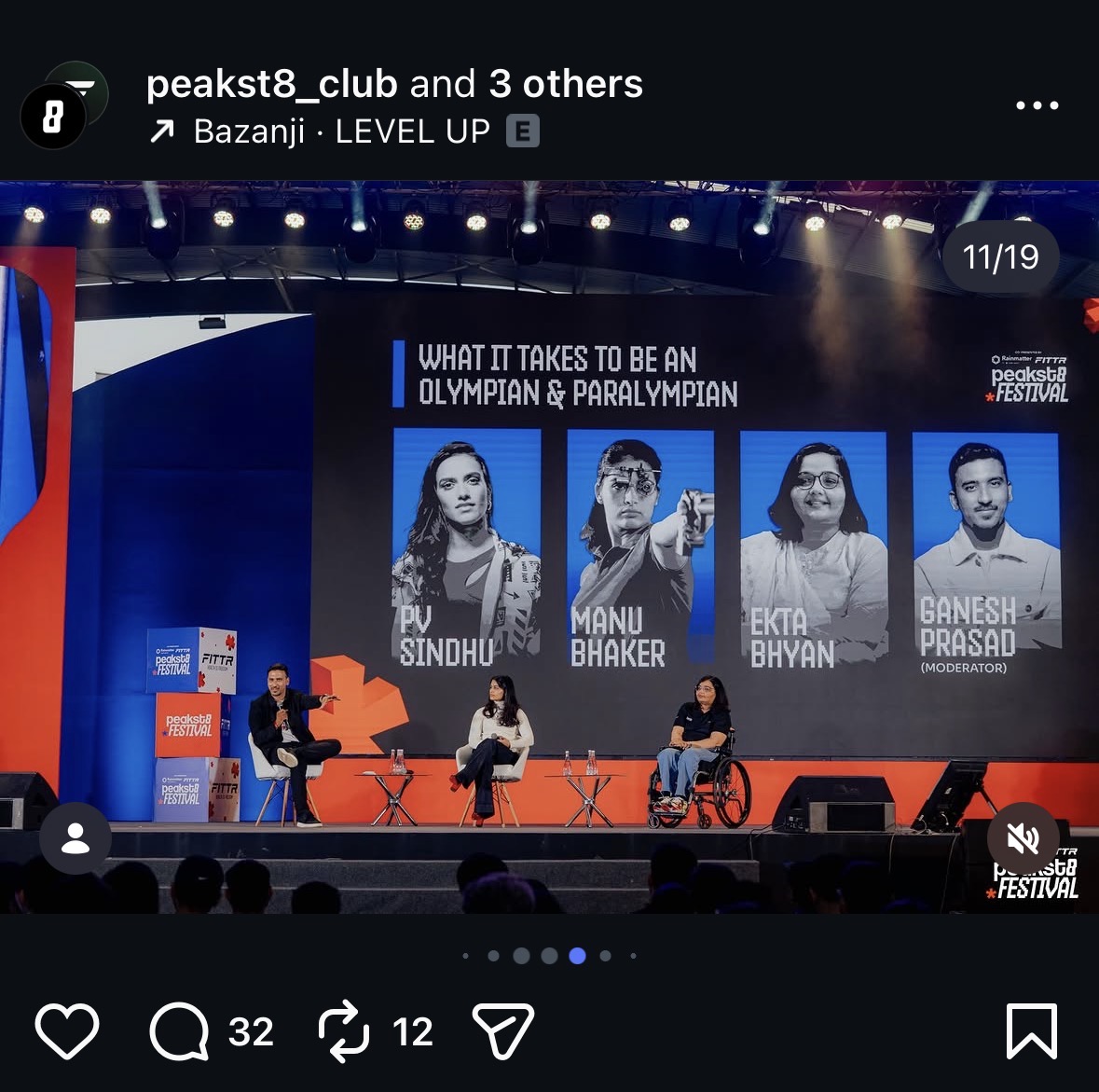
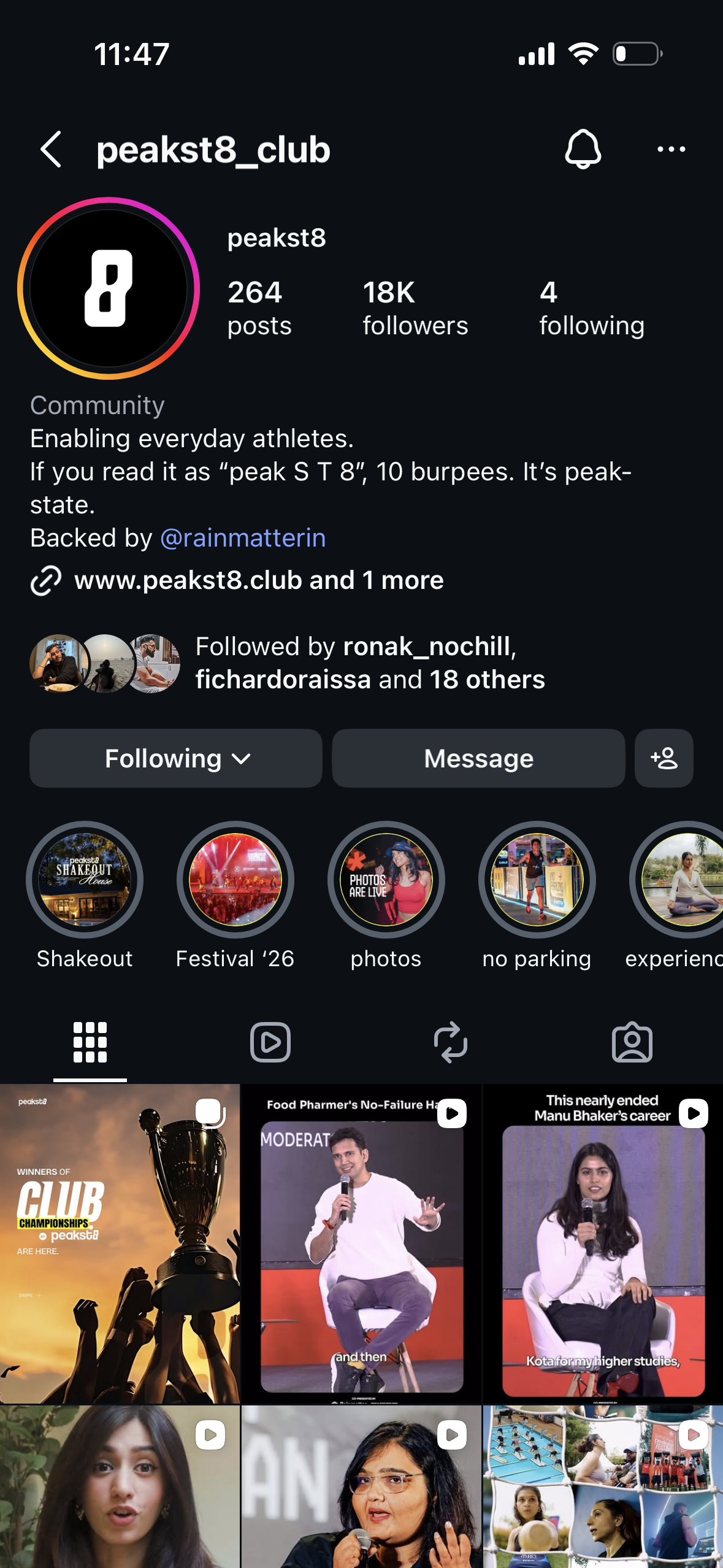
peakst8 wasn’t just a digital product; it came alive in the real world. The festival brought together 3,000+ athletes, founders and fitness communities, and the peakst8_club Instagram carried it before and after the day.
Behind the energy on the ground was a product that had to work for every athlete who walked in.
Next — The impact↓Designing beyond the screen
peakst8 Festival pushed the product beyond a single interface. The work was a connected experience across discovery, registration and the festival itself, so the digital product felt like part of the day rather than something separate from it.
Launched and proven live
Delivered a live festival experience for 2,000+ users, who went through discovery, activity selection and slot booking before walking in with their pass.
Speed with intent
Shipped a zero-to-one product against a fixed festival date, balancing speed, usability and real-world constraints.
A system for future events
Activities, slots and passes were built as one modular, dependency-aware framework, a foundation for future events and formats.
The most valuable part was seeing the product in action, from people completing bookings to scanning their entry passes at the venue. It changed where I draw the edge of a product: the screens were one part of it, and the real test was whether they held up on the ground, on the day.